Free PDF tool for browsers
iLovePDF is a free PDF program that lets you compress, convert, edit, merge, protect, repair, split, and unlock PDF documents directly in your web browser. iLovePDF gives you numerous editing tools that allow you to organize, rotate, sign, and much more.
Top Recommended Alternative

Since iLovePDF is free and delivers many features, the platform is hard to surpass. Free PDF Converter is another software for web browsers that you can use to convert files into a variety of file formats. However, the user interface and experience with iLovePDF is much more user-friendly than Free PDF Converter. Additionally, the iLovePDF PDF utilities are more extensive than the Free PDF Converter.
Is iLovePDF free?
iLovePDF is free to use. The service offers paid plans that you can choose to purchase that offer additional benefits. The free plan does not permit teams to work within the software together, while the paid packages let you work with multiple people. While the free app is valuable, iLovePDF has beneficial perks that you can get with the premium plans.
Is iLovePDF unlimited?
The free version has limited document processing capabilities, whereas the paid subscription is unlimited. The free version includes almost the entire suite of services that the premium plans offer, aside from PDF to Word OCR and PDF to PDF/A.
Additionally, the free package has a smaller number of batch processing abilities compared to the paid subscription plans, and the file size that the free app handles is not as large as with the purchasable versions.
Is iLovePDF safe?
iLovePDF is secure. The program abides by industry standards to make sure that your files are secure. iLovePDF is ISO270001 certified. The software encrypts your data while your documents are both stationary and in motion. The security standards are the same between all the plans, whether free or paid.
How can I edit a PDF file online for free?
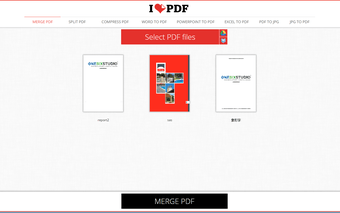
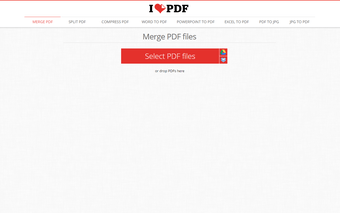
iLovePDF lets you easily edit PDF files to change the appearance and functionality of your documents. The merge feature combines docs together into one PDF. The split tool delivers the opposite result in case you want to separate pages within a file. A compression option is available to reduce the sizes of files, while still maintaining the optimal resolution quality.
Tools like reorder enable you to organize your PDFs. iLovePDF has basic editing functions that add and delete pages in your PDFs. You can also add page numbers and watermarks to your projects with iLovePDF. A rotation utility allows you to rotate your PDF pages. The free package has a basic electronic signature service to conveniently sign PDF files.
How can I remove the password from a PDF file?
The iLovePDF suite includes security utilities like certify, protect, and unlock. While the protect utility gives you the ability to place a password on your PDFs for limited access, the unlock tool enables you to remove PDF password limitations. In case PDF documents become corrupted, iLovePDF gives you a repair tool to fix damaged files as well as retrieve data from the corruption.
How do I convert a PDF?
iLovePDF has a large list of document types that you can convert to and from the PDF format, like Microsoft Excel, PowerPoint, and Word. The conversion process results in accurate representations of the data in either format, whether that is with the PDF pages or the Microsoft applications.
iLovePDF lets you convert PDF and JPG file formats to and from one another. HTML to PDF is another available tool that lets you convert website pages that are in HTML to PDF. You can copy and paste the URL into iLovePDF to get the PDF in one click.
A top tier PDF software
iLovePDF is a PDF editor and convertor that delivers a large list of features, with both free and paid plans. With the conversion tools, you can populate sheets in Microsoft Word, PowerPoint, and Excel with information from your PDF pages. Security measures like data encryption and password protection make iLovePDF a safe program to use.
What’s new?
Since iLovePDF is a popular PDF solution for personal and professional use, the developers update the software often. The signature feature is one of the newer additions to the suite of PDF services.